Practice management for law firms
The whole firmon a single screen.
Cases, deadlines, court publications, WhatsApp, documents and finance in one place, with artificial intelligence included in the plan. No credits, no add-on modules.
No credit card. Your caseload imported by bar number in minutes.
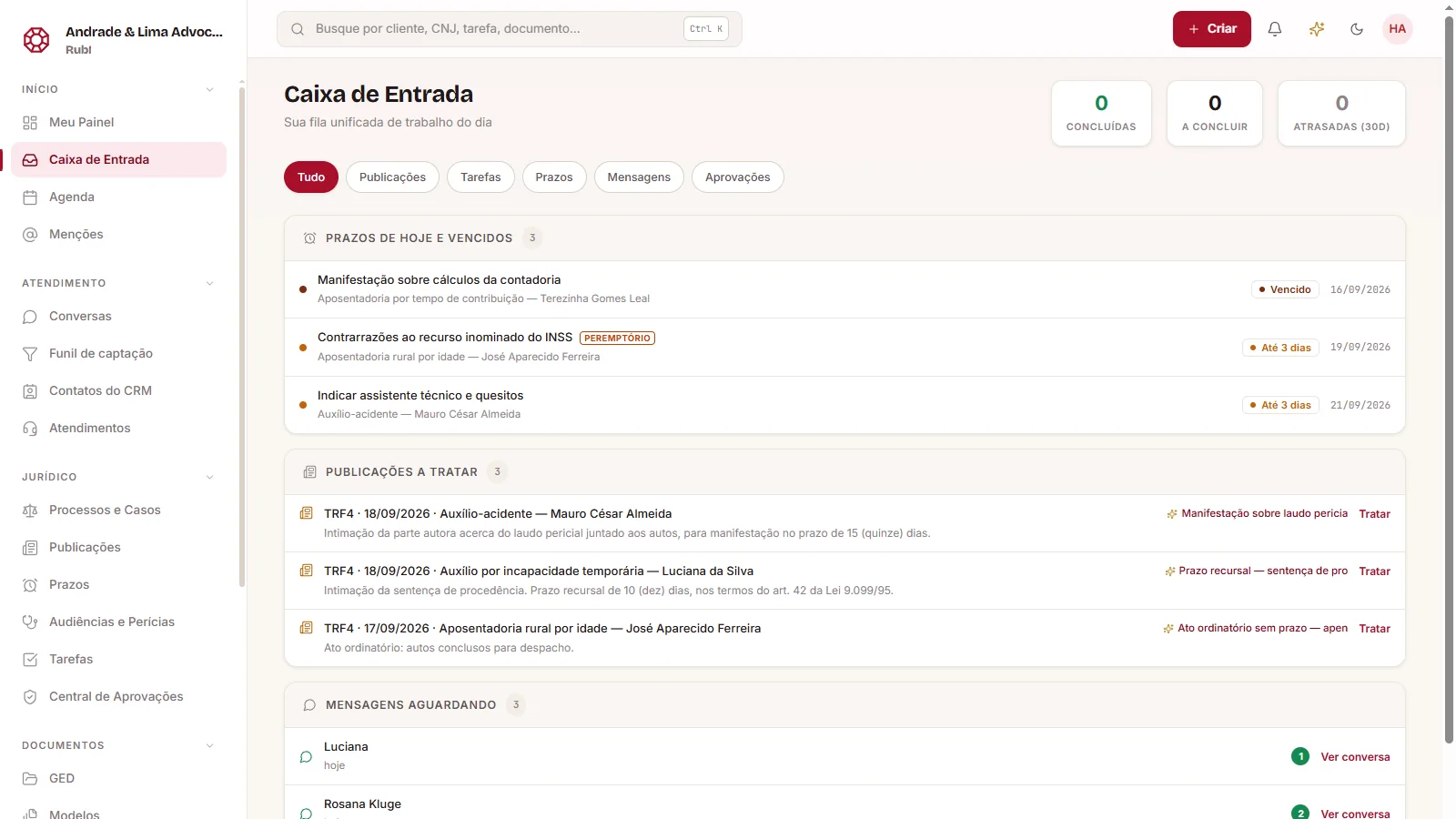
- Publications from the courts' official source
- AI included in every plan
- Native expert exams and social assessments
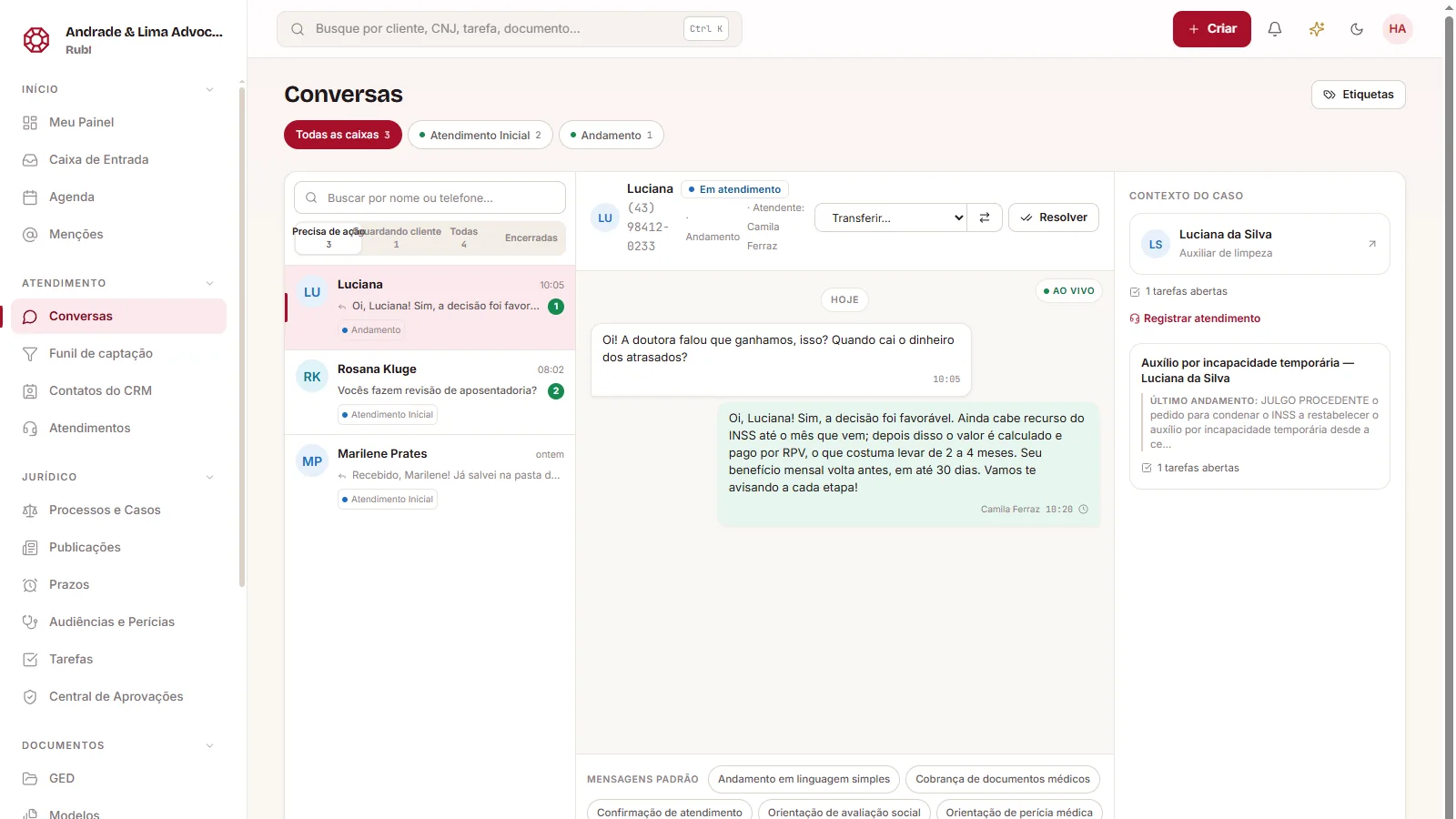
- WhatsApp inside the case
The system
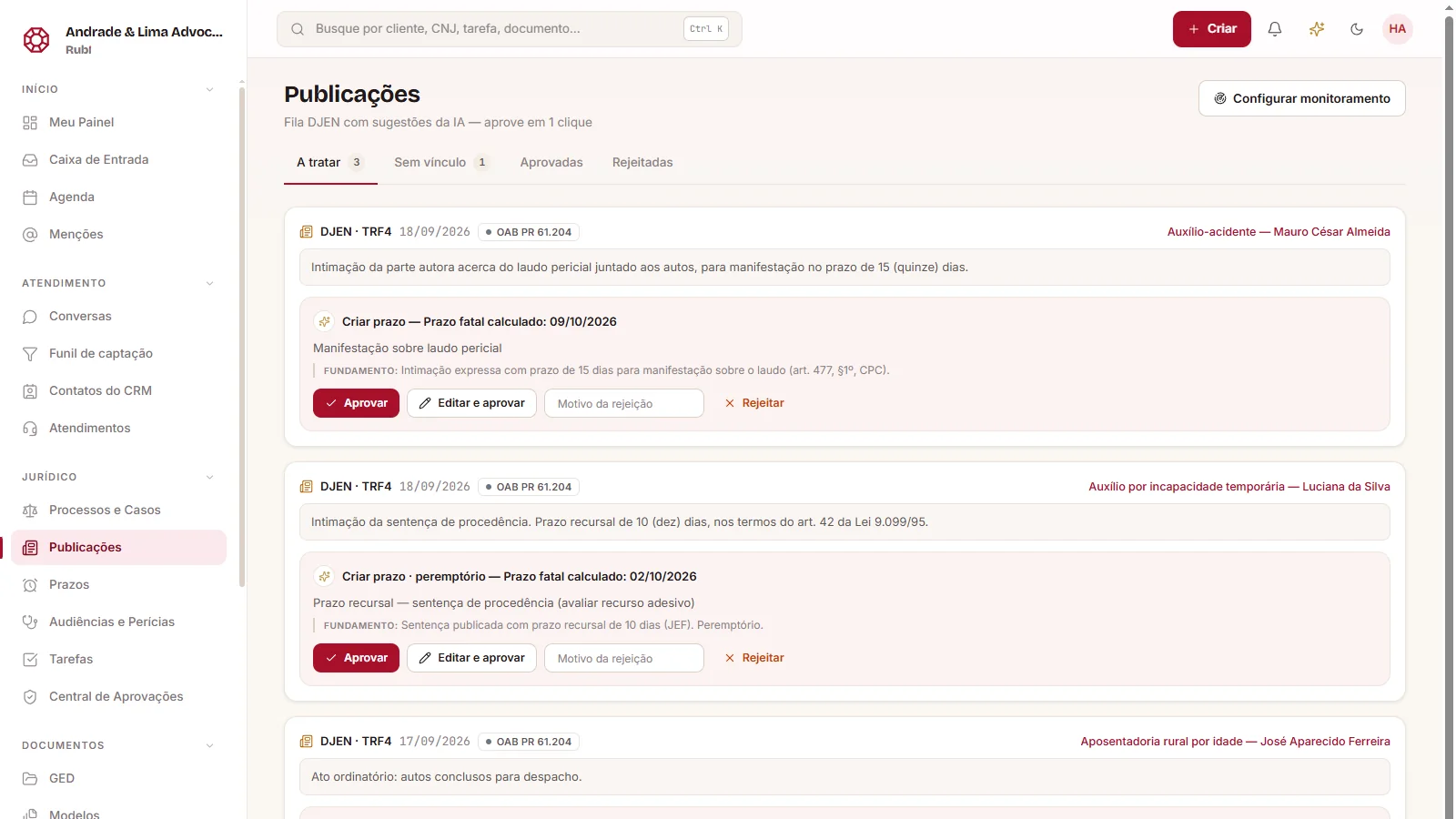
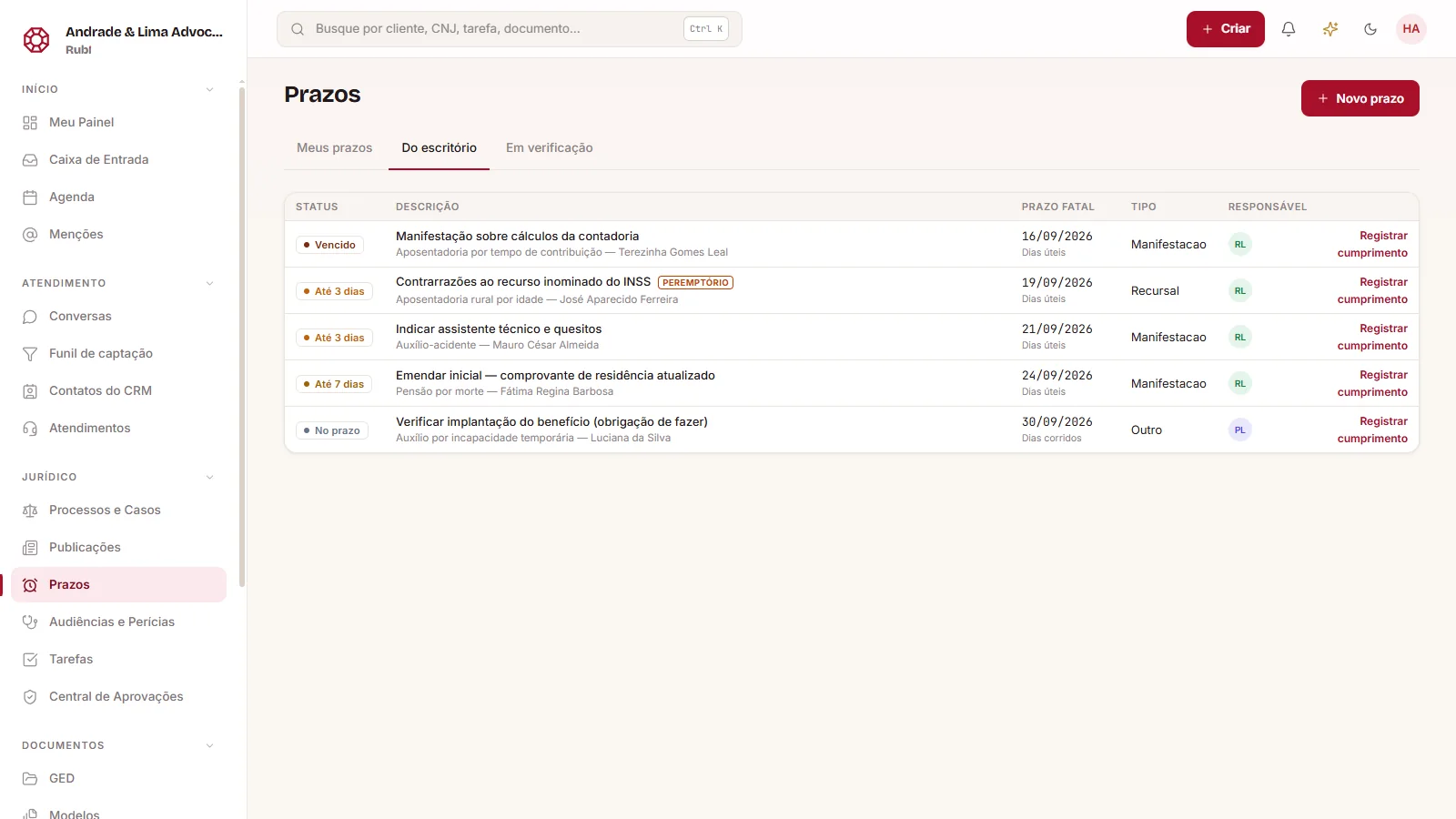
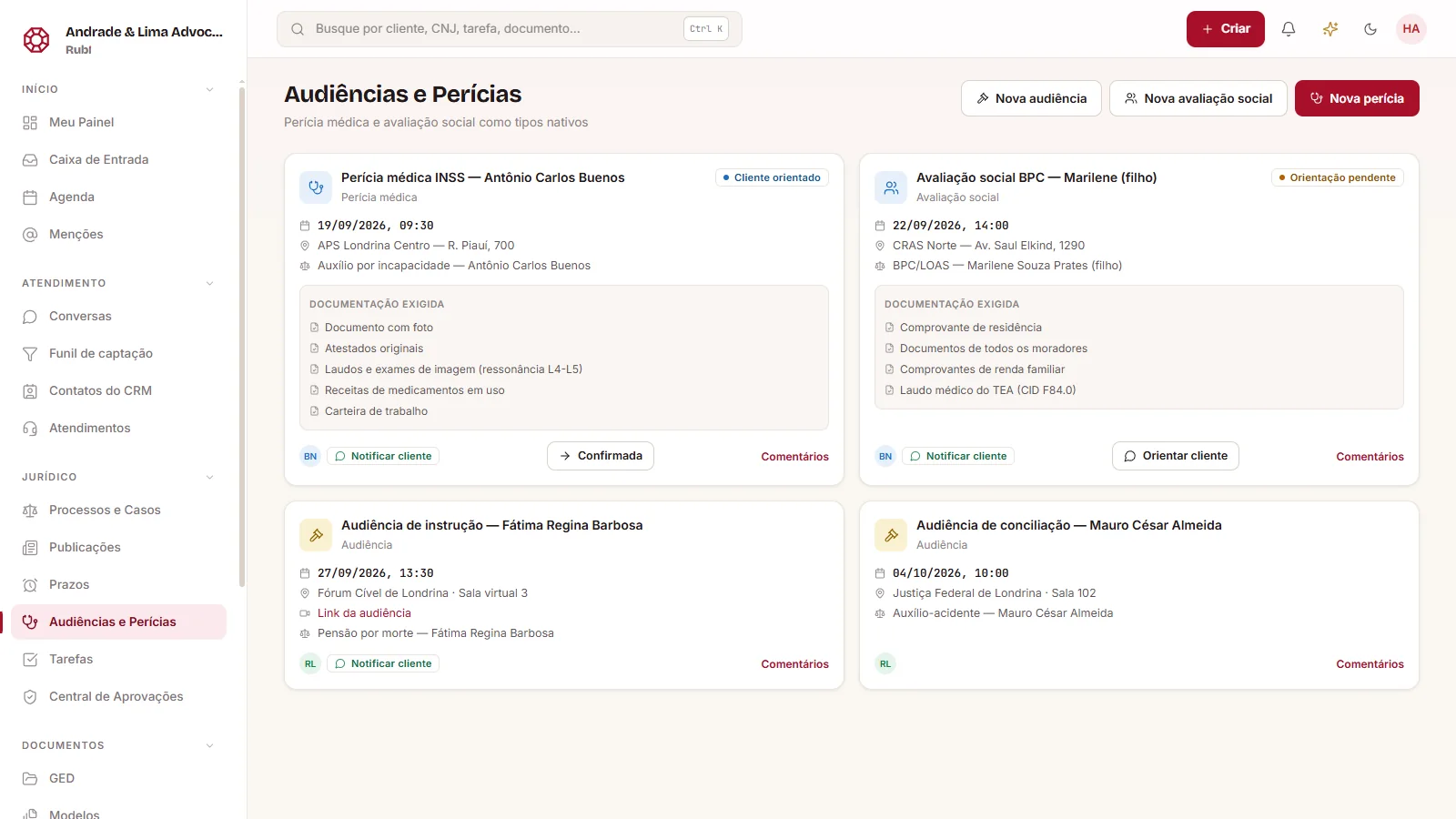
A day in Rubi, in four screens.
Only in Rubi
Six things only Rubi does.
- 01
Native expert exams and social assessments
A type of its own, with checklist per benefit and the right flow.
- 02
Versioned templates sent through WhatsApp
Automatic fill, version history and one-click sending to the client.
- 03
Status that follows WhatsApp
The client replied, the task came back. Nobody had to check.
- 04
Operational alerts separated from social ones
A deadline never gets buried under a birthday.
- 05
Points and goals per task
The team sees the monthly goal; managers see real productivity.
- 06
Talks to the AI assistant you already use
With the same permissions as the person who authorized it, all logged.
Artificial intelligence
An AI that works for the firm. Already in the plan.
Summarizes the case, triages publications, classifies documents on upload and translates legalese for the client. Always with your approval before anything is sent.
- Included for the whole team
- Approve, edit or reject
- Everything in the audit trail
How it works
From your current system to Rubi without stopping the firm.
- 01
Import your caseload by bar number
Enter the bar number and Rubi fetches the cases, with a preview before saving.
- 02
Invite the team with the right roles
Reception, intake, follow-up and controlling: each person sees what they need.
- 03
Start from the inbox
On day one, the queue already shows the week's publications and deadlines.
FAQ
- How does the free trial work?
- 14 days with the full system and AI included, no credit card. At the end you decide whether to continue, and everything you added stays in Rubi.
- Does the AI cost extra?
- No. It is included in every plan, with no separate credits or add-on module.
- Can I migrate from my current system?
- Yes. The bar-number import brings your cases in minutes, with a preview before saving. For clients, finances and documents, our team runs an assisted migration with you, without interrupting client service.
- Does it work for my practice area?
- Rubi was born in social security practice and serves civil, labor and family law. Deadlines, publications and client service are the same for all.
- Can I use my firm's brand?
- Yes. The system name and color are customizable in Settings, for the whole team.
- Is the firm's data secure?
- It stays in Brazil, isolated per firm in the database itself, and every access is recorded in the system's audit log.
See Rubi with your own firm's cases.
Create the account, enter your bar number and see your caseload inside Rubi in minutes. 14 days free, no card. Prefer help? Book a demo and our team migrates your data with you.